Prison Bus Controls
Keybinds and HUD actions every crew should memorize.
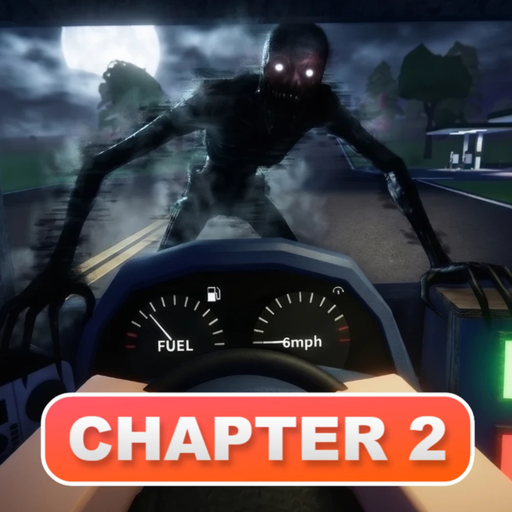
Clean Prison Bus runs die when someone cannot find the camera button mid-panic. This controls guide maps the actions that matter in [CH2] Prison Bus [ANOMALY] on desktop and mobile Roblox clients.
Core actions
| Action | Desktop habit | Mobile habit | Notes |
|---|---|---|---|
| Drive | WASD / arrows | Thumbstick | Smooth inputs beat oversteer in fog |
| Brake / stop | Space or S | Brake button | Full stop before pickups |
| Interact / repair | E or click prompts | Tap prompts | Used heavily at depot |
| Open/close door | On-screen door control | Door icon | Door lead owns this |
| View cameras | Camera UI button | Camera icon | Mandatory every pickup |
| Accept prisoner | Accept prompt | Accept | Only after photo check |
| Decline prisoner | Decline prompt | Decline | Default when unsure |
| Fire / defend | Click / RT style | Fire button | Assign a gunner |
Exact key labels can shift after patches—rebind in Roblox settings if your layout conflicts. Re-check after notes on the updates hub.
Driving fundamentals
- Accelerate early before hills into the prison.
- Leave margin for anomaly pops that block the lane.
- Do not ram inspection booths; you want clean camera checks, not a flipped bus.
- At gas stations, angle the bus so the door faces away from dark tree lines when possible.
Pair driving practice with the bus repair checklist so lights and brakes actually work when you need them.
Camera and dossier workflow
- Stop.
- Open dossier.
- Open cameras.
- Decide.
- Close UI before moving.
Leaving the camera UI open while rolling is how crews miss roadside packs. The identify anomalies guide explains what to look for once the camera is up.
Role-specific binds
- Driver — movement, headlights if toggled, horn if available
- Door lead — door + accept/decline only
- Camera lead — cameras + callouts
- Flex — repairs, fuel, defense
Write the roles in chat at the depot using crew roles.
Mobile-specific tips
- Play in landscape.
- Increase touch sensitivity slightly for decline spam when a crowd approaches.
- Pin the camera icon area mentally; thumbs cover it during chases.
- Consider a clip-on controller if you main driver role.
Accessibility and comfort
Reduce motion blur in Roblox settings if fog segments cause nausea. Lower music when learning callouts so you hear footsteps and weapon raises. Colorblind players should lean harder on silhouette and limb-count tells rather than outfit hue alone—the tier list still applies.
Practice routine
Spend ten minutes in a private server doing nothing but stop → camera → decline drills. Then run a short public route from the getting started plan. Muscle memory here pays off in Chapter 2 labs covered by the walkthrough.
Related pages
- Guides Hub
- Scripts Hub — why binds beat cheats
- Codes
- Official links
Know your buttons before the bus knows fear.
Failure drills tied to binds
- Missed decline: practice tapping Decline five times in a private server without looking down.
- Late camera: bind mental priority as stop → cam → decide → close UI.
- Accidental drive-off: driver waits for verbal “cabin clear” every single pickup.
Write these drills on a sticky note. Revisit after patches listed on updates. Controls mastery is boring until an S-tier entity from the tier list tests you at a dark gas station.
HUD clutter survival
Public servers stack emotes, chat, and overlapping prompts. Mentally prioritize door and camera widgets above everything else. If chat covers Decline on mobile, flick chat closed before the prompt expires. Desktop players should move chat to a corner that never hides Accept. Rehearse that cleanup in a private server so the motion is automatic during Chapter 2 labs from the walkthrough.
Frequently Asked Questions
Quick answers for Prison Bus crews mid-route.
What button opens prisoner cameras?
Use the on-screen View Cameras / camera icon near the dossier when a pickup prompt appears.
Can I rebind Prison Bus controls?
Use Roblox’s own keybind and touch settings. The experience follows standard interact prompts.
Who should control the door?
One dedicated door lead. Shared door duty causes accidental accepts.